Corner stores and minimarkets
Barcodes, products sold by weight with a scale, store-credit accounts with balances and payments, and inventory that goes down with every sale.
 Loading…
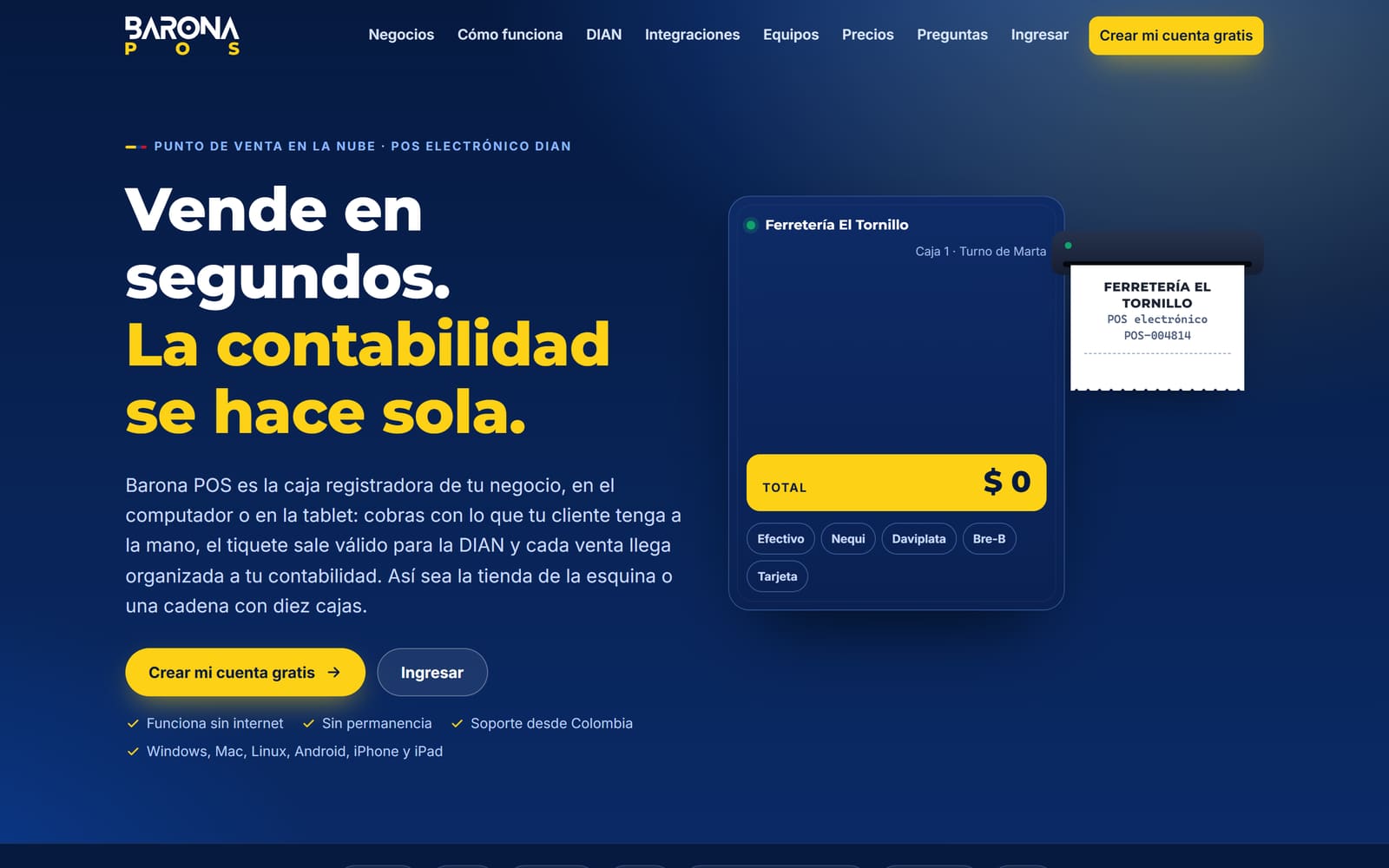
Cloud point of sale · DIAN electronic POS
Barona POS is your store’s cash register on a computer, tablet or phone: you take payment however your customer prefers, the receipt is issued as a DIAN electronic POS document and every sale reaches the books already organized, in Barona Contable or in the program your accountant already uses.
Official product website: baronapos-baronaenterprise.azurewebsites.net · Demo: baronapos-demo-baronaenterprise.azurewebsites.net
Who it’s for
Barcodes, products sold by weight with a scale, store-credit accounts with balances and payments, and inventory that goes down with every sale.
Sell by unit, weight or measure, stock levels visible to the cashier, and cashiers with their own permissions and shifts.
Each register with its own shift and cash count, a customer-facing display and the day’s sales summary on the owner’s phone.
Features
The electronic equivalent document of DIAN Resolution 000165 of 2023, with CUDE and QR. If the customer asks, the same sale is issued as an electronic invoice.
The register stores sales on the device, prints the receipt and, when the connection returns, sends everything pending in order.
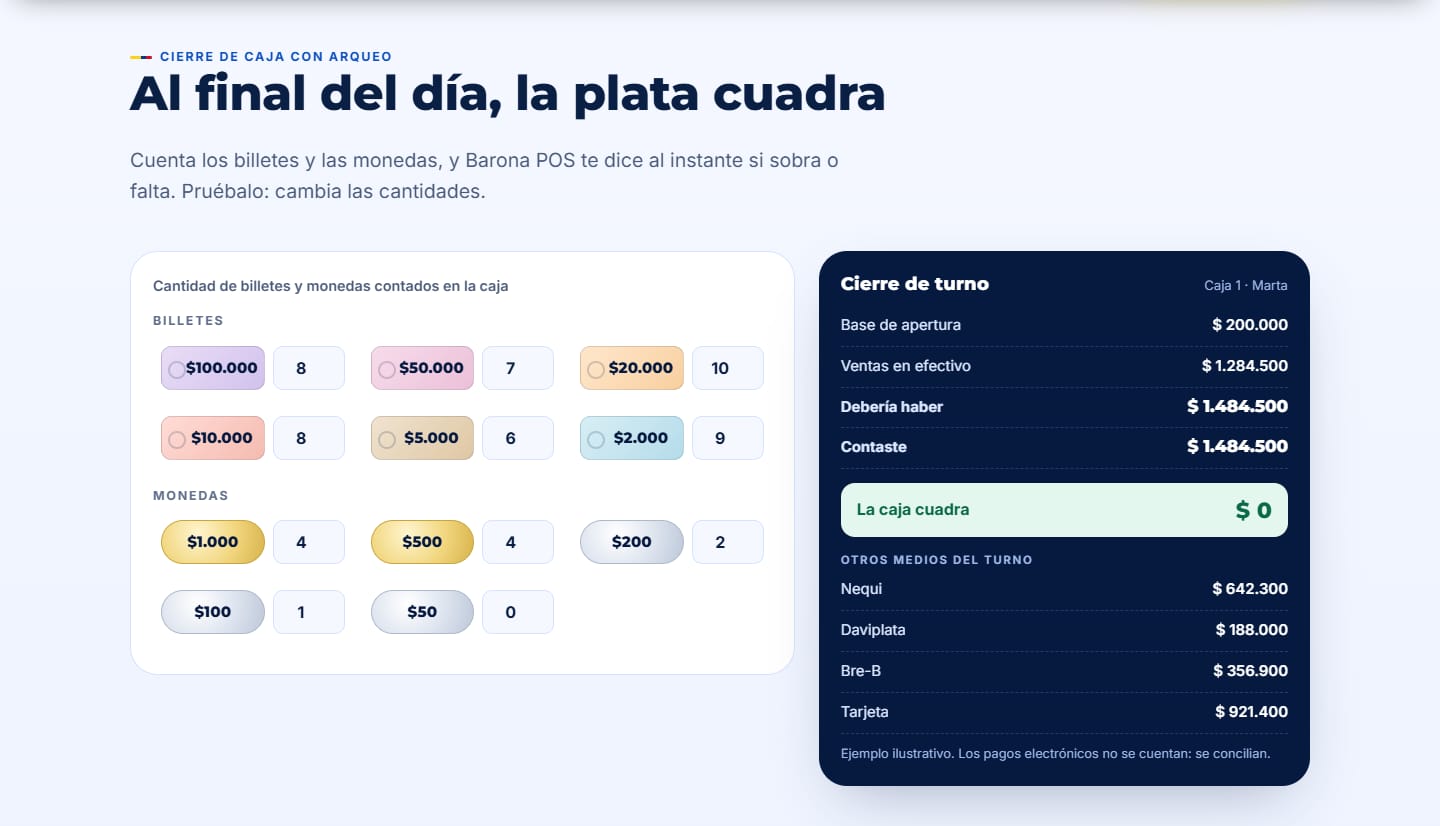
Each cashier signs in with their own user and permissions, opens a shift with a float and closes it counting bills and coins: over or short, instantly.
Every sale lowers stock and warns you what is running low. Barcode scanners and products sold by weight with a scale.
Windows, Mac, Linux, Chromebook, Android, iPhone and iPad, installable as an app. 58 and 80 mm thermal printers, cash drawer and customer display.
A free Windows program that opens the cash drawer, prints without confirmation dialogs and reads the scale.
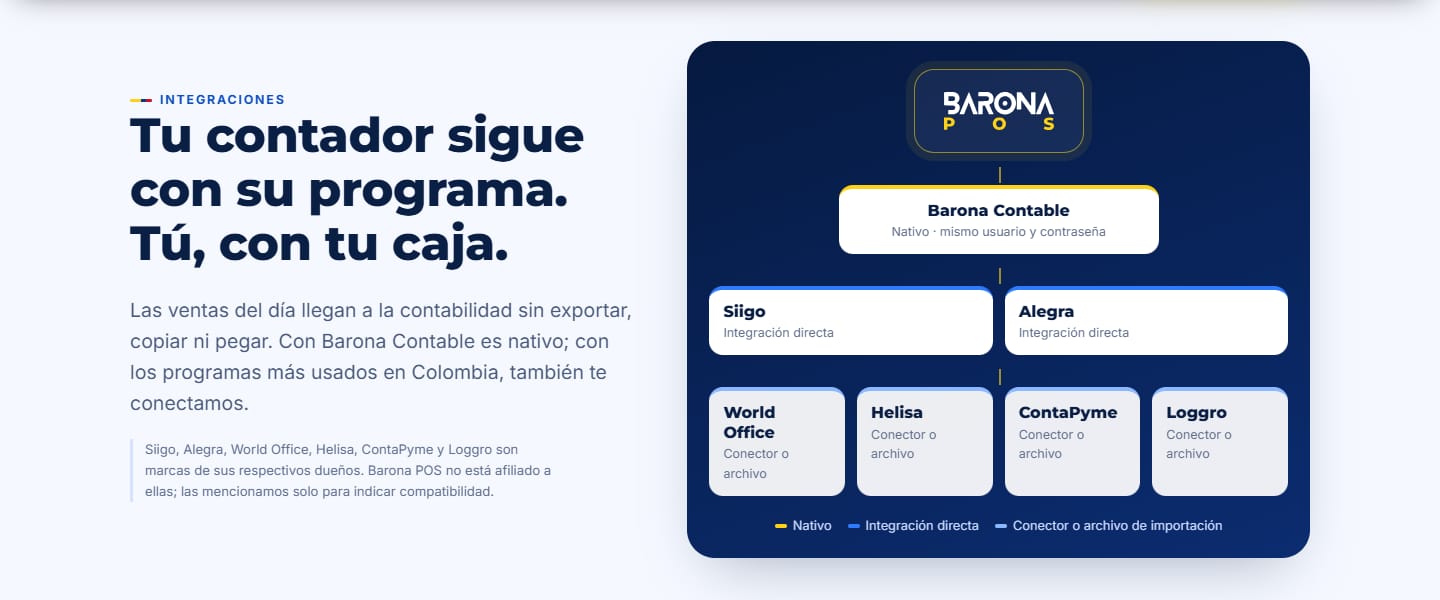
Native with Barona Contable (same username and password); Siigo and Alegra through direct integration; World Office and other programs through a connector or import file.
No lock-in contract, full data export and the same secure Microsoft Azure infrastructure as Barona Contable.
To issue electronic POS documents your business must be enabled by DIAN; we help you with that step. Siigo, Alegra, World Office, Nequi, Daviplata and Bre-B are trademarks of their respective owners and are mentioned only to indicate compatibility.
A closer look
Frequently asked questions
You keep selling. The register stores every sale on the device, prints the receipt and, when the connection returns, sends everything pending to DIAN in order.
Almost always: it runs in the browser on Windows, Mac, Linux, Chromebook, Android, iPhone and iPad, with common 58 or 80 mm thermal printers, barcode scanners and cash drawers.
Yes. With Barona Contable the connection is native; with Siigo and Alegra we connect through direct integration, and with World Office and other programs through a connector or import file.
Current plans are published on the Barona POS website. If you have several registers or locations, book a consultation and we’ll help you choose.
Try the demo or book a Teams consultation and we’ll help you get it running in your company.